10 Claude Code Mistakes Beginners Make (And How to Fix Them)
The 10 most common Claude Code mistakes and how to fix them. From skipping CLAUDE.md to overusing Opus — save tokens and time.
Claude CodeTipsBest PracticesBeginner
1798 Words
2026-02-25 06:00 +0000
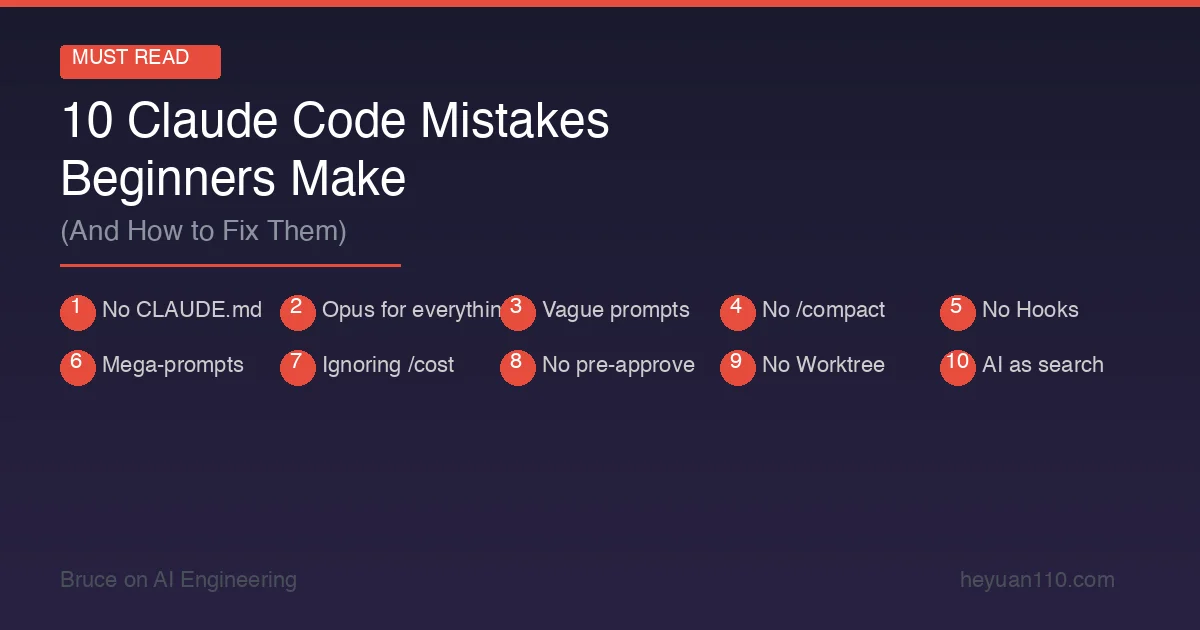
Claude Code is the most capable AI coding tool available. It’s also one of the easiest to use badly.
I’ve watched dozens of developers adopt Claude Code — myself included — and the same mistakes come up again and again. Developers who fix these issues typically see a 5–10x improvement in output quality and a 50%+ reduction in token costs.
Here are the 10 most common mistakes, why they happen, and exactly how to fix each one.
Mistake #1: Not Setting Up CLAUDE.md
The mistake: Jumping into Claude Code without a CLAUDE.md file, expecting AI to magically understand your project.
Why it’s costly: Without project context, Claude Code has to rediscover your tech stack, coding conventions, and project structure every single session. That means more questions, more wrong assumptions, more wasted tokens, and more back-and-forth corrections.
The fix: Create a CLAUDE.md in your project root. Include your tech stack, coding conventions, common commands, and architecture notes. It doesn’t need to be long — even 20 lines of context dramatically improves results.
# Project: E-commerce API
## Stack: Node.js 22 + Express + PostgreSQL + Prisma
## Testing: Jest (files in __tests__/ next to source)
## Style: ESLint + Prettier, functional style, no classes
## Commands: npm test | npm run lint | npm run dev
## Rules: Never use console.log in production code. Always use the logger utility.
Impact: Developers with good CLAUDE.md files report 40–60% fewer correction rounds. That’s fewer tokens, less frustration, and faster results.
Mistake #2: Using Opus for Everything
The mistake: Setting the model to Opus 4.6 and leaving it there for all tasks.
Why it’s costly: Opus costs 1.67x more than Sonnet per token. For a typical session, that means spending $15–25 where $10–15 would suffice. Over a month of daily use, the difference adds up to hundreds of dollars.
The fix: Use Sonnet 4.6 as your default. Switch to Opus only for specific tasks that need it:
| Task | Use Sonnet | Use Opus |
|---|---|---|
| Bug fixes | ✅ | |
| Feature implementation | ✅ | |
| Code reviews | ✅ | |
| Writing tests | ✅ | |
| Complex multi-file refactors | ✅ | |
| System architecture decisions | ✅ | |
| Debugging subtle logic errors | ✅ | |
| Understanding unfamiliar codebases | ✅ |
Switch models on the fly with /model sonnet or /model opus. No need to restart your session.
Impact: 30–40% cost reduction with zero loss in quality for most tasks.
Mistake #3: Writing Vague Prompts
The mistake: “Fix the bug” or “Make this better” or “Something’s wrong with authentication.”
Why it’s costly: Vague prompts force Claude Code to guess what you want. It reads extra files trying to find the issue, makes assumptions that may be wrong, and generates solutions you didn’t ask for — all of which burn tokens and time.
The fix: Be specific. Include file names, line numbers, error messages, and expected behavior.
Bad: “Fix the login bug.”
Good: “In src/auth/login.ts, the refreshToken() function at line 42 throws a 403 error when the token expires. The expected behavior is a silent token refresh. The error message is ‘Token validation failed’. Fix the refresh logic without changing the API contract.”
Great: Paste the actual error output, stack trace, or test failure directly into your prompt. Claude Code can parse all of it.
Impact: Specific prompts typically resolve issues in 1–2 tool call rounds instead of 5–8. That’s a 3–4x token savings per task.
Mistake #4: Never Using /compact
The mistake: Running marathon sessions without compacting conversation history.
Why it’s costly: Every message in your conversation history is sent to the API with each request. After 30+ minutes of active use, you’re sending thousands of tokens of stale context with every prompt — context that’s no longer relevant to what you’re doing now.
The fix: Run /compact periodically — especially when switching between unrelated tasks. It compresses your conversation history while preserving the key context Claude needs.
Even better, start new sessions for truly unrelated work. There’s no prize for keeping one session alive all day.
/compact           → Compress current history
/clear             → Full reset (nuclear option)
Ctrl+C → claude    → Start a fresh session
Impact: 20–30% token savings in long sessions. Faster responses too, since the API processes less input.
Mistake #5: Not Using Hooks for Repetitive Tasks
The mistake: Manually telling Claude Code to “run the linter” or “run tests” after every change, or worse, forgetting to verify changes entirely.
Why it’s costly: Every manual verification request is an extra agentic turn — more tokens, more time. And when you forget to verify, you end up with broken code that takes more turns to fix later.
The fix: Set up Hooks to automate post-change verification. Hooks run shell commands at specific lifecycle points — before/after tool calls, before/after commits, etc.
Example: Auto-lint after every file write:
{
  "hooks": {
    "PostToolUse": [
      {
        "matcher": "Write|Edit",
        "command": "npm run lint --fix $FILE_PATH",
        "silent": true
      }
    ]
  }
}
Example: Auto-run tests after every edit to a source file:
{
  "hooks": {
    "PostToolUse": [
      {
        "matcher": "Write|Edit",
        "command": "npm test -- --related $FILE_PATH 2>/dev/null || true",
        "silent": true
      }
    ]
  }
}
Impact: Eliminates entire categories of manual verification prompts. Some teams report 30–50% fewer agentic turns after implementing hooks.
Mistake #6: Giving Massive Tasks in One Prompt
The mistake: “Refactor the entire authentication system, add OAuth2 support, migrate the database, and update all the tests.”
Why it’s costly: Claude Code is powerful, but it’s not omniscient. Massive tasks lead to:
- Partial implementations (runs out of context before finishing)
- Inconsistent changes (loses track of the plan mid-execution)
- Hitting the tool call safety limit (20 calls per turn by default)
- Difficulty reviewing what changed
The fix: Break large tasks into focused, sequential steps. Let Claude Code complete and verify each step before moving to the next.
Instead of: “Refactor the auth system with OAuth2”
Do this:
- “Read the current auth system and explain the architecture”
- “What would need to change to add OAuth2 support? Draft a plan.”
- “Implement the OAuth2 provider configuration (just the config, not the routes)”
- “Now add the OAuth2 callback route and token exchange logic”
- “Update the existing tests and add new ones for OAuth2 flows”
- “Run the full test suite and fix any failures”
Each step gives Claude Code a focused task it can complete well, with verification between steps.
Impact: Higher quality output, fewer corrections, and easier code review. Complex refactors go from “maybe works” to “definitely works.”
Mistake #7: Ignoring the /cost Command
The mistake: Never checking token usage, then being surprised by the bill.
Why it’s costly: Without visibility into costs, you can’t optimize. Some developers burn through $50+ in a single session without realizing it — usually because of mistake #4 (never compacting) or #2 (using Opus for everything).
The fix: Check /cost after every significant task. Build a mental model of what things cost:
- Quick bug fix: ~$0.15–0.30
- Feature implementation: ~$1–3
- Major refactor: ~$5–15
- Full-day session: ~$15–40
If you see a session climbing past $10 and you’re still on the same task, something’s off. Compact, restart, or reconsider your approach.
Impact: Awareness alone changes behavior. Developers who monitor costs typically spend 20–30% less.
Mistake #8: Not Pre-Approving Safe Commands
The mistake: Clicking “Allow” on every single git status, npm test, and ls command.
Why it’s costly: Each permission prompt interrupts your flow and costs you seconds. Over a full session, hundreds of prompts for obviously safe commands add up to significant lost time.
The fix: Pre-approve common safe commands in your settings:
{
  "permissions": {
    "allow": [
      "Bash(git status)",
      "Bash(git diff *)",
      "Bash(git log *)",
      "Bash(npm test *)",
      "Bash(npm run lint *)",
      "Bash(npm run build)",
      "Bash(ls *)",
      "Bash(cat *)",
      "Bash(wc *)",
      "Bash(head *)",
      "Bash(tail *)"
    ]
  }
}
Or consider Sandbox mode, which gives Claude Code freedom within defined boundaries.
Impact: 80%+ fewer permission interruptions. A dramatically smoother workflow.
Mistake #9: Not Using Worktree for Parallel Tasks
The mistake: Using a single Claude Code session for everything — switching between tasks, stashing changes, losing context.
Why it’s costly: Context switching in a single session pollutes the conversation history with unrelated information. Each new task carries the baggage of previous tasks, making Claude Code less focused and more expensive.
The fix: Use Worktree mode to run parallel tasks in isolated Git worktree branches:
# Start a task in a new worktree
claude --worktree "Add user profile endpoint"

# In another terminal, start a different task
claude --worktree "Fix the pagination bug in /api/products"
Each worktree gets its own clean Git branch and isolated conversation. No context pollution, no stash juggling, no merge conflicts until you’re ready.
Impact: 2–3x throughput on days when you’re handling multiple tasks. Each task gets Claude Code’s full attention.
Mistake #10: Treating Claude Code Like a Search Engine
The mistake: Using Claude Code for questions you could answer with a quick Google search or documentation lookup.
Examples:
- “What’s the syntax for a Python list comprehension?”
- “What port does PostgreSQL use by default?”
- “How do I center a div in CSS?”
Why it’s costly: Claude Code is an agent — it’s designed to take actions, not answer trivia. Every question uses tokens from your plan or API budget. Simple factual questions that don’t require reading your codebase or making changes are better answered by documentation, Stack Overflow, or a free chatbot.
The fix: Use Claude Code for tasks that benefit from its agentic capabilities:
| Use Claude Code For | Use Google/Docs For |
|---|---|
| “Find and fix the memory leak in our worker process” | “What’s the Node.js API for process.memoryUsage?” |
| “Refactor this module to use the repository pattern” | “What is the repository pattern?” |
| “Write integration tests for the payment flow” | “What’s the Jest syntax for async tests?” |
| “Analyze why this query is slow and optimize it” | “What’s the PostgreSQL EXPLAIN syntax?” |
Impact: Saving your Claude Code budget for high-value agentic tasks means you get more real work done per dollar.
The Checklist
Before your next Claude Code session, run through this:
- CLAUDE.md exists and is up to date
- Model set to Sonnet (unless you specifically need Opus)
- Safe commands pre-approved in settings
- Hooks set up for linting and testing
- Task is specific and focused (not a mega-prompt)
- Starting a fresh session for a new topic
Get these fundamentals right and Claude Code transforms from “useful chatbot” to “indispensable team member.”
Related Reading
- Claude Code Setup Guide: Installation to First Project — Get set up properly from the start
- Claude Code Pricing 2026: Is the Max Plan Worth It? — Choose the right plan for your usage
- CLAUDE.md Guide: Give AI Perfect Project Context — Deep dive into Mistake #1
- Claude Code Hooks: 12 Automation Configs — Deep dive into Mistake #5
- Claude Code Worktree: Parallel AI Tasks — Deep dive into Mistake #9
- Claude Code Best Practices — Founder-recommended workflows
- Build Your Own Claude Code from Scratch — Understand the architecture to use it better
Comments
Join the discussion — requires a GitHub account