Kerberods Cryptominer on Linux: Incident Response and Cleanup Guide
Real-world incident report of a Linux server compromised by the kerberods cryptomining malware — covering detection, investigation of mysterious CPU behavior, root cause analysis via Confluence vulnerability, and full cleanup steps.
790 Words
2019-04-12
The kerberods cryptomining malware has been hitting Linux servers hard, hijacking CPU resources and rendering legitimate services unusable. One of our production servers fell victim to it, and this article documents the entire incident — from the initial symptoms through investigation, root cause analysis, and cleanup.
The Incident
Around 5:30 PM, several team members reported that Git pushes were failing with 502 errors.
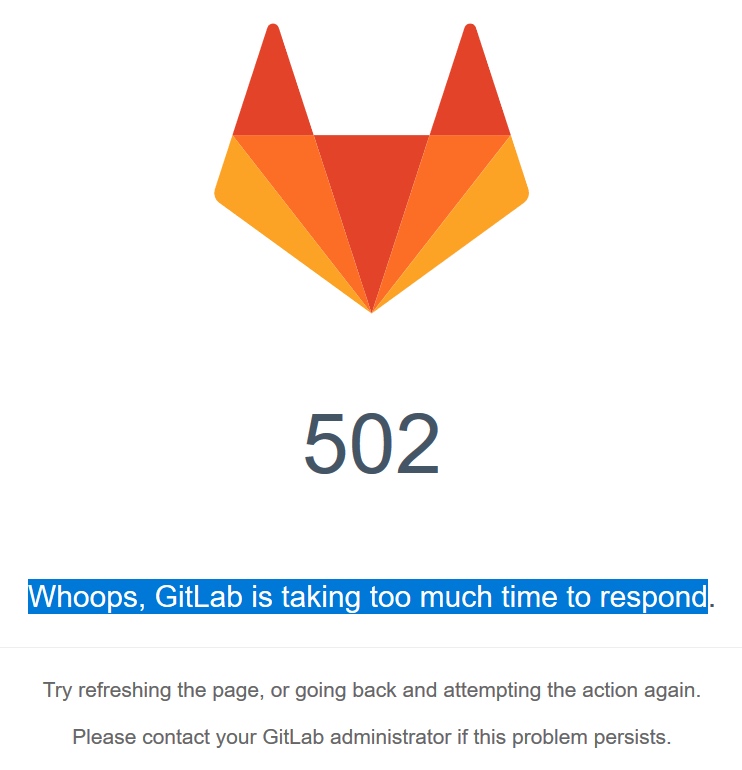
We initially assumed it was the same issue we had seen before — GitLab hitting its concurrency limits. An ops engineer spent two hours (from 6 PM to 8 PM) troubleshooting along that line, with no progress. Since code could not be pushed, GitLab was inaccessible, and deployments were blocked, I jumped in to help investigate.
Investigation
The server was running three services: GitLab, Jira, and Confluence. GitLab was down, while the other two appeared functional (though some pages were actually broken — we just had not checked closely enough).
Step 1: Check System Metrics
Running top on the server showed something odd:
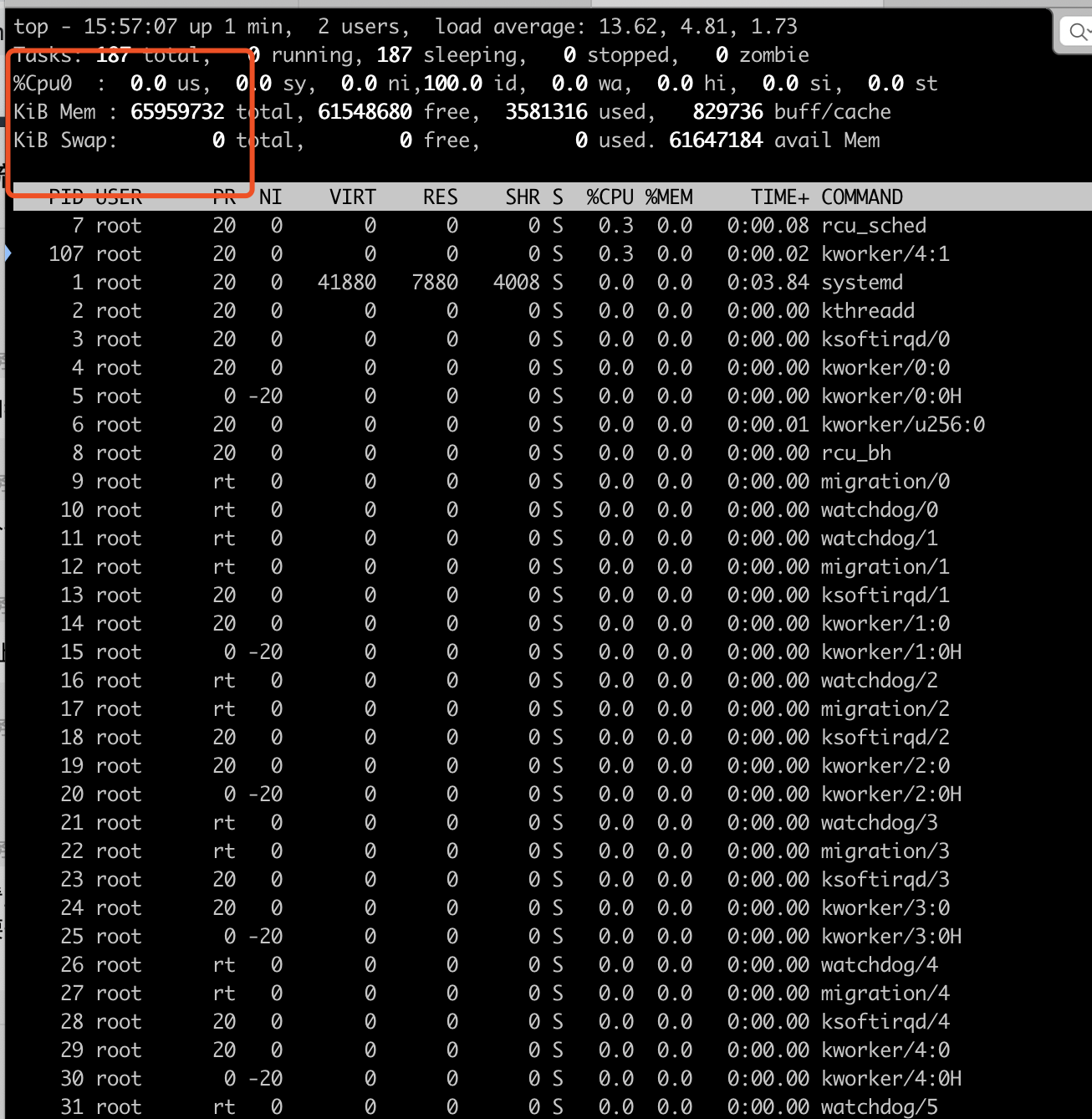
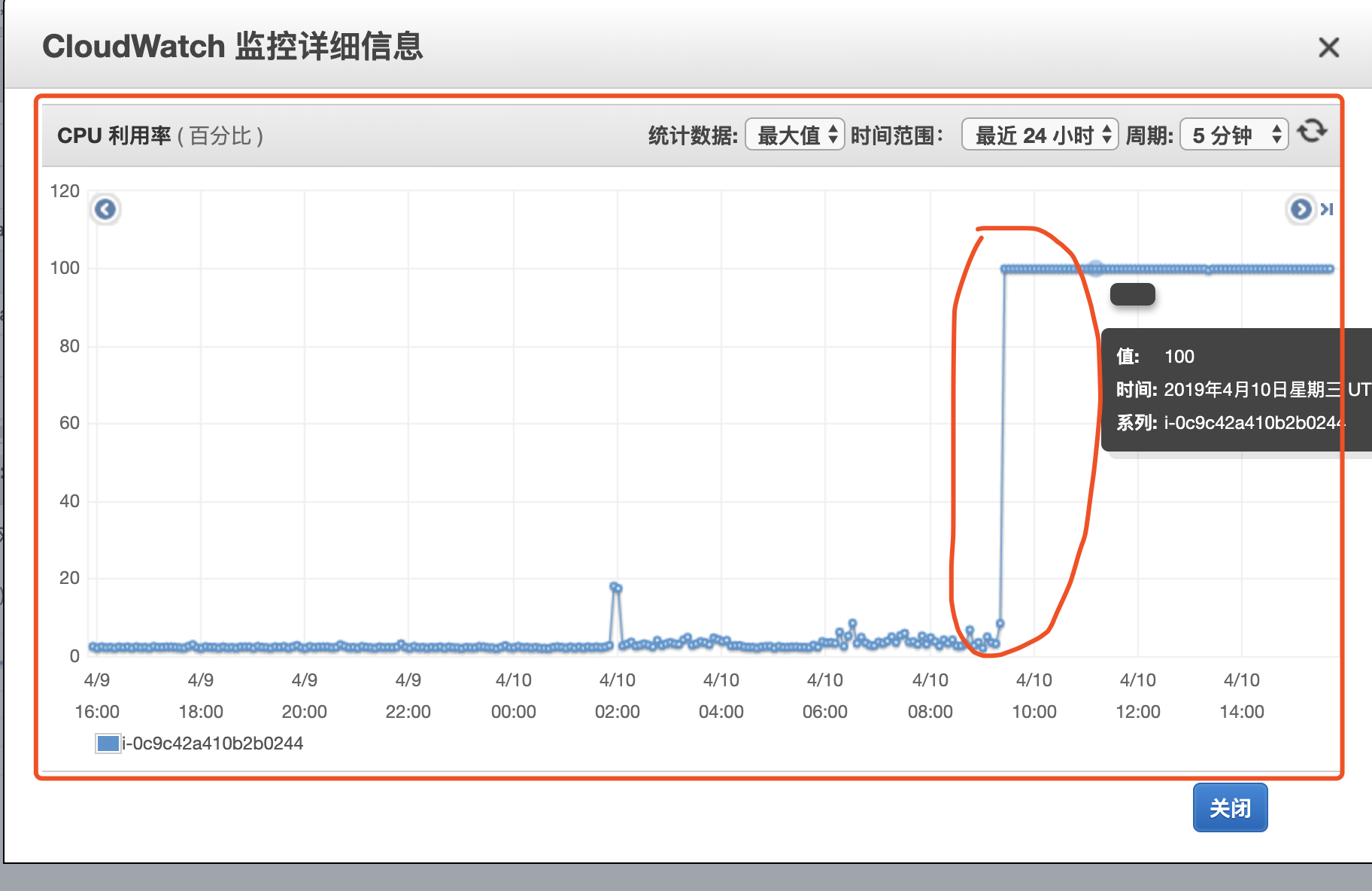
At first glance, CPU and memory looked normal. But pressing 1 to show individual cores revealed only a single CPU (cpu0) — on a 16-core EC2 instance. Checking the AWS Console confirmed the CPU had spiked to 100% around 5:30 PM:
Malware briefly crossed my mind, but network I/O showed no unusual spikes, so I dismissed the idea. Running ps -ef revealed that PHP and Java processes were completely missing, which made us suspect an AWS hardware fault.
We filed an urgent AWS support ticket and contacted our dedicated AWS Solutions Architect. Meanwhile, we continued searching for GitLab 502 solutions online.
We tried everything the GitLab forums suggested — port conflicts, timeout settings, etc. Running netstat -ntlp showed that port 8080 was not even in use. We changed the default port, ran gitlab-ctl reconfigure and gitlab-ctl restart, and gitlab-ctl status showed all services as running. But the logs still showed 127.0.0.1:8080 refused. At this point, I was fairly certain the problem was not GitLab-specific.
Step 2: Reboot and Observe
We rebooted the EC2 instance multiple times, suspecting a hardware issue. The problem persisted — top still showed only one CPU core. The system log at /var/log/syslog contained this telling message:
didn't collect load info for all cpus, balancing is broken
Step 3: Deep CPU Investigation
We took a snapshot of the instance and began a thorough CPU investigation:
# Check CPU info
cat /proc/cpuinfo

# Check IRQ balance logs
cat /var/log/syslog | grep irqbalance

# Sample CPU utilization across all cores
cat /proc/stat
mpstat -P ALL 1 3
The /proc/stat output actually showed all 16 CPU cores with high utilization — contradicting what top was displaying. Something was actively hiding from top.
Using the SysRq trigger to dump running processes:
echo l > /proc/sysrq-trigger
dmesg
The kernel logs revealed the culprit — a process called khugepageds was running on 15 out of 16 CPU cores:
CPU: 0 PID: 2495 Comm: khugepageds Not tainted 4.4.0-145-generic
CPU: 1 PID: 2492 Comm: khugepageds Not tainted 4.4.0-145-generic
CPU: 2 PID: 2487 Comm: khugepageds Not tainted 4.4.0-145-generic
...
CPU: 4 PID: 2411 Comm: bash Not tainted 4.4.0-145-generic    # Only CPU 4 was free
...
CPU: 15 PID: 2489 Comm: khugepageds Not tainted 4.4.0-145-generic
The khugepageds process was consuming 15 of the 16 cores, leaving only CPU 4 available (which is what top was showing as the single visible core). The malware had tampered with top to hide its presence.
Root Cause
Searching for “khugepageds” led to multiple reports identifying it as a cryptocurrency mining malware:
The entry point was a Confluence Server vulnerability (CVE-2019-3396) in the Widget Connector component. The vulnerability allowed remote code execution, which the attackers used to deploy the cryptominer.
Reference: Confluence Security Advisory 2019-03-20
Cleanup
With the malware identified, cleanup was straightforward using publicly available tools:
After running the cleanup script, we patched the Confluence vulnerability by upgrading to a fixed version. Services were restored successfully.
Lessons Learned
Patch promptly. Open-source software like Confluence, WordPress, and Jenkins are frequent targets. Stay on top of security advisories from vendors.
Do not trust surface-level tools. The malware modified
topto hide itself. When something does not add up (like a 16-core machine showing only 1 core), dig deeper with low-level tools like/proc/stat,dmesg, and SysRq.Monitor CPU at the infrastructure level. The AWS Console showed 100% CPU when
topon the instance showed things looked “normal.” Infrastructure-level monitoring (CloudWatch, Datadog, etc.) can catch what host-level tools miss.Backups save you. Always have backups. Always.
Network segmentation matters. Running GitLab, Jira, and Confluence on the same instance meant one vulnerable application compromised everything. Isolate services where possible.
Comments
Join the discussion — requires a GitHub account