CLAUDE.md vs README.md: Why Your AI Agent Needs Its Own Instruction File
CLAUDE.md tells AI agents how to work in your codebase. README.md tells humans what the project is. Learn how to write both effectively with real-world examples from OpenClaw (124k stars).
Claude CodeCLAUDE.mdAGENTS.mdAI AgentAnthropic
1945 Words
2026-01-31
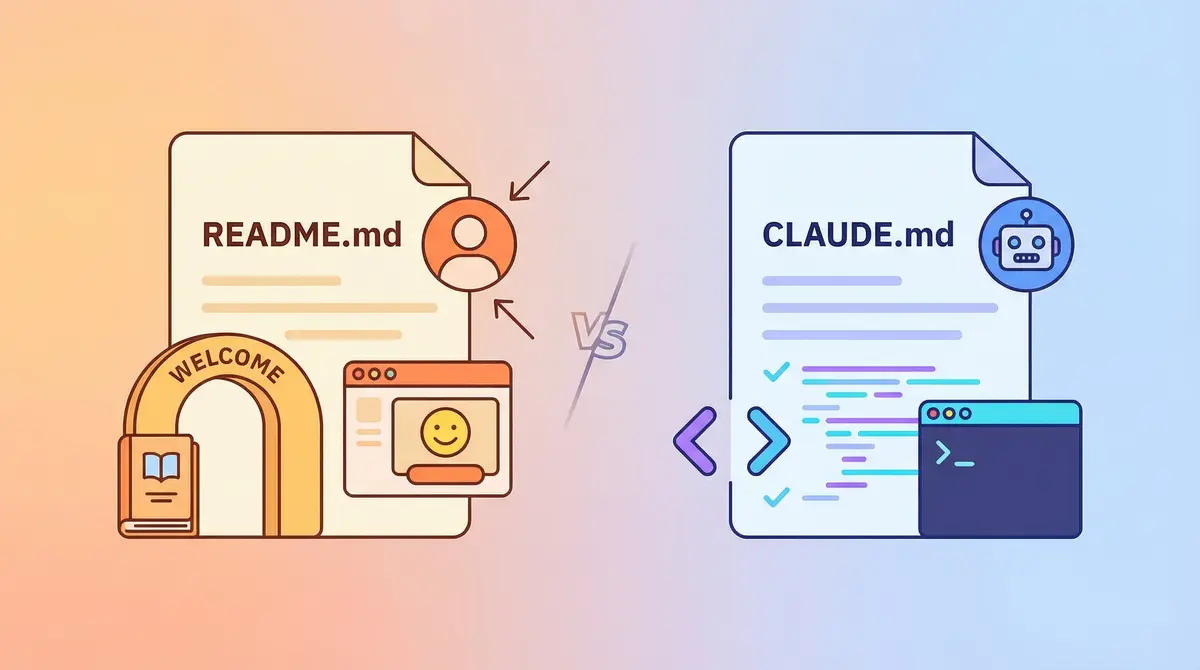
Your AI and Your Team Are Reading the Same File
When you open a project with Claude Code, the first thing it reads is CLAUDE.md. When your teammate opens the same project, the first thing they read is README.md.
Here is the question: did you write both files properly, or did you just write a README and hope the AI would figure things out?
The reality is that an AI reading a README is like you reading a contract full of legal jargon. The information is there, but the priorities are buried. README tells humans “what this project is.” AI needs to know “what I should do.”
This article makes one thing clear: README.md is a project description for humans. CLAUDE.md is an instruction set for AI agents. They should never replace each other.
What Exactly Is CLAUDE.md?
One-Line Definition
CLAUDE.md is Claude Code’s memory system – a Markdown file that Claude Code loads automatically on every startup. It contains project rules, coding conventions, and workflow instructions. As of January 2026, Claude Code has 62.6k stars on GitHub (source).
Think of it this way: README is the onboarding handbook for a new hire. CLAUDE.md is the rulebook for your AI assistant.
Claude Code’s Memory Hierarchy
Claude Code loads memory files in this order, from highest to lowest priority:
| Level | Location | Scope |
|---|---|---|
| Enterprise policy | /Library/Application Support/ClaudeCode/CLAUDE.md | Entire organization |
| Project memory | ./CLAUDE.md or ./.claude/CLAUDE.md | Team (committed to Git) |
| Project rules | ./.claude/rules/*.md | Team (committed to Git) |
| Personal memory | ~/.claude/CLAUDE.md | You only (all projects) |
| Project-local | ./CLAUDE.local.md | You only (current project) |
Source: Anthropic official docs
Key detail: Claude Code searches upward from the current directory for CLAUDE.md. Subdirectory CLAUDE.md files only load when reading files within that subdirectory. This means you can write different rules for frontend/ and backend/.
The Fundamental Difference from README.md
| Dimension | README.md | CLAUDE.md |
|---|---|---|
| Audience | Human developers | AI agents |
| Purpose | Understand the project, get started quickly | Constrain agent behavior |
| Tone | Expository, may include background | Imperative, rules only |
| Content | What it is, how to run it, project structure | What to do, what not to do, how to do it |
| Format | Tables, tree diagrams, links (visual-first) | Compact lists, code blocks (token-efficient) |
How a 124k-Star Project Does It
The OpenClaw Approach
OpenClaw (124k stars, source, as of January 2026) is a personal AI assistant project. Their approach is instructive:
Their CLAUDE.md is one line:
AGENTS.md
That is it. All AI agent instructions live in AGENTS.md. CLAUDE.md is just a pointer.
AGENTS.md structure (condensed):
# Repository Guidelines
- Repo: https://github.com/openclaw/openclaw

## Project Structure & Module Organization
- Source code: `src/` (CLI in `src/cli`, commands in `src/commands`...)
- Tests: colocated `*.test.ts`.

## Build, Test, and Development Commands
- Runtime: Node 22+
- Install: `pnpm install`
- Tests: `pnpm test` (vitest)
- Lint: `pnpm lint` (oxlint)

## Coding Style & Naming Conventions
- TypeScript (ESM). Prefer strict typing; avoid `any`.
- Keep files under ~700 LOC.

## Commit & Pull Request Guidelines
- Create commits with `scripts/committer "<msg>" <file...>`
- Goal: merge PRs. Prefer rebase when commits are clean.

## Agent-Specific Notes
- Never edit `node_modules`.
- When answering questions, verify in code; do not guess.
Notice three patterns:
- Every rule is imperative – “avoid
any”, “never edit”, “verify in code” - No explanations of why – AI does not need to be persuaded, just instructed
- Dedicated Agent-Specific Notes – “never edit node_modules” is not something you would put in a README
Why AGENTS.md?
This reflects an industry trend. In August 2025, the AGENTS.md specification was officially released (GitHub repo, 16.3k stars), now managed by the Agentic AI Foundation under the Linux Foundation.
As of January 2026, tools supporting AGENTS.md include OpenAI Codex, Google Gemini CLI, Cursor, Windsurf, GitHub Copilot, Devin, and 20+ others (source). Over 60,000 open-source projects have adopted it.
Claude Code does not natively support AGENTS.md, but the community workaround is straightforward:
# Option 1: Symlink
mv CLAUDE.md AGENTS.md && ln -s AGENTS.md CLAUDE.md

# Option 2: CLAUDE.md references AGENTS.md (using @ import syntax)
echo 'See @AGENTS.md' > CLAUDE.md
OpenClaw maintains both CLAUDE.md and AGENTS.md, ensuring all AI tools can find the entry point.
Lessons from My Own Projects
Mistakes I Made
I was building a cross-border e-commerce SaaS system with Vue 3 frontend and Django backend. My first CLAUDE.md looked like this:
# Project - Claude Code Configuration

## Project Overview

This is a cross-border e-commerce multi-tenant SaaS admin system using a monorepo structure.

## Important Rules

### Git Commit Rules

**You must commit and push code before making major changes.**

- Commit and push immediately after completing a feature
- ...
What went wrong?
- “Project Overview” is for humans – AI does not need an introduction to “what this project is”
- “Important Rules” with emoji emphasis – decorative markers have no effect on AI compliance
- 186 lines with duplicate information (tech stack listed in “Overview” and again in “Tech Stack” section)
After Rewriting
Following the OpenClaw style, I compressed it to 85 lines:
# Repository Guidelines

- Repo: `[email protected]:myteam/erp.git`, branch: `main`
- Monorepo: cross-border e-commerce multi-tenant SaaS admin

## Project Structure

- Frontend: `frontend/` (Vue 3.5 + TypeScript 5.8 + Vite 6.3 + Ant Design Vue 4.2 + Pinia)
- Backend: `backend/` (Django 5.2 + DRF 3.16 + SimpleJWT + MySQL 8.0 + Qiniu storage)

## Coding Style

### Backend
- All models inherit `TimestampedModel` + `SoftDeleteModel`.
- All business data must include `merchant_id` field (multi-tenant isolation).
- ViewSet `get_queryset` must filter by `merchant_id`.

## Commit & Push Guidelines

- Commit + push immediately after completing a feature.
- **After commit, you MUST `git push`. Never commit without pushing.**
- Commit message format: `type: short description`
The difference:
| Metric | Before | After |
|---|---|---|
| Lines | 186 | 85 |
| Tone | Mixed expository | Pure imperative |
| Filler | “Project Overview”, “Important Rules” | None |
| Duplication | Tech stack listed twice | Listed once |
Same Topic, Two Files
Take “tech stack” as an example:
README.md (for humans) – use a table with version numbers for quick scanning:
| Layer | Technology | Version |
|-------|-----------|---------|
| Frontend | Vue + TypeScript + Ant Design Vue | 3.5 / 5.8 / 4.2 |
| Backend | Django + Django REST Framework | 5.2 / 3.16 |
| Database | MySQL | 8.0 |
CLAUDE.md (for AI) – compress to one line, save tokens:
- Backend: `backend/` (Django 5.2 + DRF 3.16 + SimpleJWT + MySQL 8.0 + Qiniu storage)
Now consider “Git conventions”:
README.md should not include Git commit rules – that is not what a new developer needs during onboarding.
CLAUDE.md must include them – because AI decides whether to commit after every code change:
- After commit, you MUST `git push`. Never commit without pushing.
How to Write an Effective CLAUDE.md
Six Principles
Based on Anthropic’s official best practices and the Builder.io community guide (January 2026):
1. For every rule, ask: would the AI make a mistake without it? If not, delete it. Aim for under 300 lines. Research suggests AI reliably follows a maximum of 150-200 instructions (source), and Claude Code’s system prompt already uses about 50.
2. Delegate code style to linters, not LLMs. “Never send an LLM to do a linter’s job.” Instead of writing “use 2-space indentation” in CLAUDE.md, configure .eslintrc properly.
3. Use pointers, not copies. Do not embed code snippets in CLAUDE.md. Reference them with file:line. You can also use @ import syntax to reference other files: @docs/backend/api-spec.md.
4. Put domain knowledge in Skills, not CLAUDE.md. CLAUDE.md loads on every session. Domain knowledge loads on demand, which is more efficient. See: Skill Development Guide.
5. Treat CLAUDE.md like code. Commit it to Git, review it periodically, delete outdated rules.
6. Emphasize critical rules. IMPORTANT or YOU MUST can improve AI compliance with specific rules.
Recommended CLAUDE.md Structure
# Repository Guidelines          -- One-line repo URL + project description
## Project Structure              -- Directories and tech stack as compact lists
## Build & Dev Commands           -- All commands in one code block
## Workflow                       -- Development process, numbered list
## Commit & Push Guidelines       -- Git rules
## Coding Style                   -- Frontend/backend conventions
## Testing                        -- Test directory structure + run commands
## Dependencies                   -- Dependency management rules
## Docs                           -- Documentation system + index
Recommended README.md Structure
# Project Name                    -- One-sentence description
## Tech Stack                     -- Table with version numbers
## Quick Start                    -- Docker one-click + local setup
## Project Structure              -- Tree diagram
## Features                       -- Feature overview
## Documentation                  -- Link list
## License                        -- License information
Content Boundaries: What Goes Where
| Content | README.md | CLAUDE.md | Neither |
|---|---|---|---|
| What the project is | Yes | ||
| Tech stack versions | Yes | Yes (compressed) | |
| Startup commands | Yes (step by step) | Yes (one code block) | |
| Environment requirements (Node >= 20) | Yes | ||
| Git commit rules | Yes | ||
| Coding conventions | Yes | ||
| Testing conventions | Yes | ||
| Development workflow | Yes | ||
| Roadmap / TODO | Yes (use Issues) | ||
| License | Yes | ||
| Feature descriptions | Yes |
The principle: README answers “What.” CLAUDE.md answers “How.” TODOs belong in neither.
Advanced: Maintaining CLAUDE.md with Skills
If you frequently update CLAUDE.md, you can write a Skill to standardize the maintenance process. I created .claude/skills/maintain-claude-md/SKILL.md in my project:
---
name: maintain-claude-md
description: Maintain the project CLAUDE.md file.
allowed-tools: Read, Edit, Write, Grep, Glob
---

# Maintaining CLAUDE.md

## Writing Principles
1. Imperative language only. No explanations of "why."
2. Zero filler. No "Project Overview" or "Background" sections.
3. Maximize information density. If it fits on one line, do not split it.
4. Flat structure. Two heading levels maximum.
5. Only actionable rules. No "consider" or "try to."
6. No TODO or roadmap items.

## Update Rules
- Read current CLAUDE.md first. Understand existing structure.
- Incremental changes only. Never rewrite the entire file.
- Insert new rules at the end of the relevant section.
Usage: /maintain-claude-md Add Redis caching rules
For more Skill examples, see: Claude Code Skills Top 20
Frequently Asked Questions
Should I commit CLAUDE.md to Git?
Yes. It is a shared AI collaboration standard for your team, just like .eslintrc is part of project infrastructure. For personal preferences, use CLAUDE.local.md (automatically added to .gitignore).
Should I use CLAUDE.md or AGENTS.md?
If you only use Claude Code, CLAUDE.md is sufficient. If your team uses multiple AI tools (Cursor, Copilot, Codex, etc.), write the main content in AGENTS.md and make CLAUDE.md a pointer or symlink.
How long should CLAUDE.md be?
Under 300 lines. AI reliably follows a maximum of 150-200 instructions (source). Writing more actually reduces compliance. Use @ import syntax to split content into sub-files.
Should README.md mention CLAUDE.md?
No. README targets human developers. CLAUDE.md is an internal AI configuration file, just as you would not describe .eslintrc contents in your README.
Summary
| README.md | CLAUDE.md | |
|---|---|---|
| In one sentence | Onboarding handbook for humans | Rulebook for AI agents |
| Core question | “What is this project? How do I run it?” | “What must you do?” |
| Writing style | Expository | Imperative |
| Industry trend | Stable | Converging toward AGENTS.md standard |
Each file handles its own job. A well-written README lets a new developer run the project in 5 minutes. A well-written CLAUDE.md lets AI follow your conventions without repeating “remember to push” or “remember to filter by merchant_id” every session.
Neither is hard to write. Both are worth writing well.
Related Links
- Claude Code on GitHub (62.6k stars)
- AGENTS.md Specification (16.3k stars)
- OpenClaw (124k stars)
- Anthropic Docs: Manage Claude’s Memory
- Claude Code Best Practices - Anthropic
- The Complete Guide to CLAUDE.md - Builder.io
Further Reading
- Claude Code Complete Guide - Getting started with Claude Code from scratch
- CLAUDE.md Memory System Deep Dive - Understanding memory hierarchy and loading
- Claude Code Skill Development Guide - Writing custom Skills
- Claude Code Skills Top 20 - The 20 most practical Skills
- AI Development Workflow - Complete dev workflow powered by Claude Code
- Claude Code Best Practices - Tips for improving AI coding efficiency
Comments
Join the discussion — requires a GitHub account