ClawdBot Setup Guide: Build Your Personal AI Assistant in 30 Minutes
Learn how to set up ClawdBot, an open-source AI agent that runs 24/7 on your computer. This step-by-step guide covers installation, Telegram integration, and automating emails, scheduling, and reminders.
ClawdBotAI AgentAI AssistantOpen SourceAutomationAnthropicClaude
2030 Words
2026-01-25
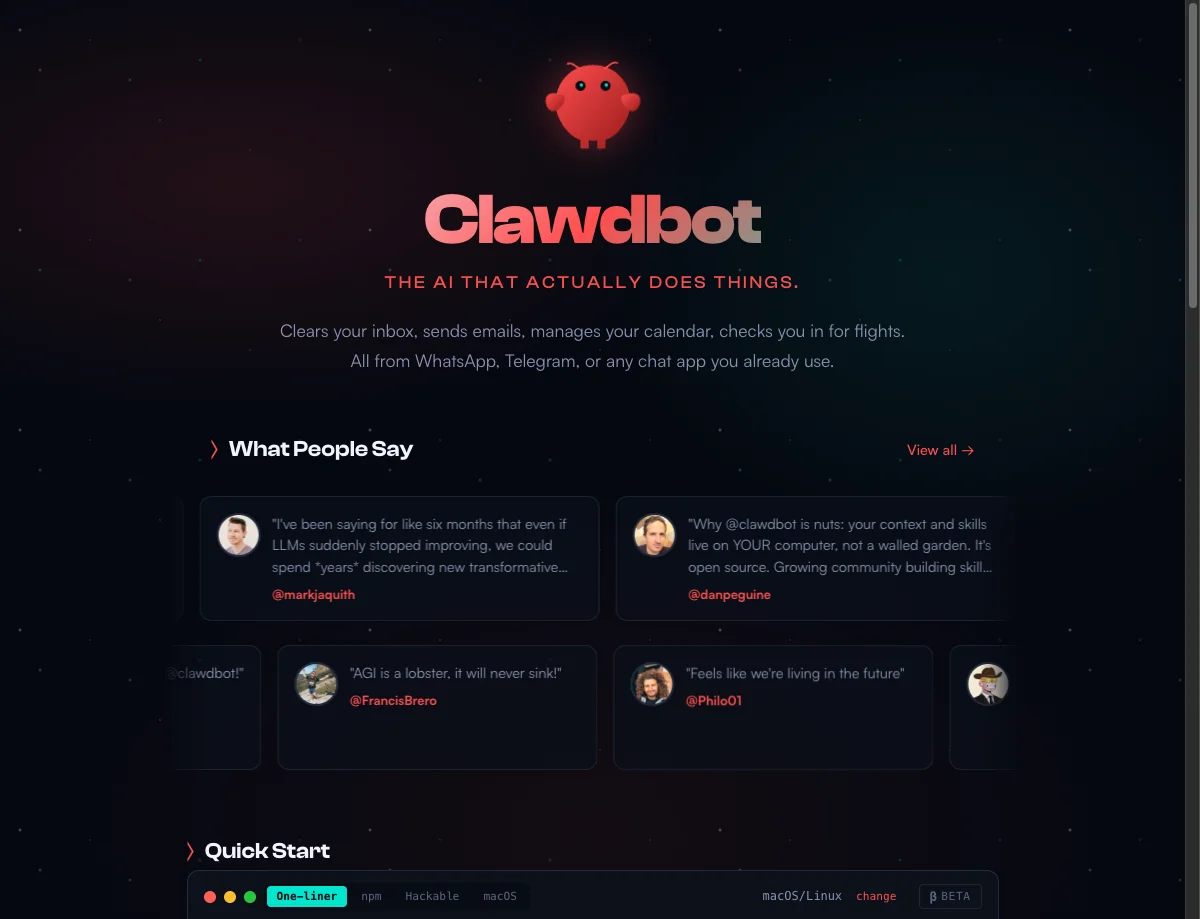
What If You Had a 24/7 AI Assistant?
Picture this scenario:
While you are still asleep, your AI assistant has already finished these tasks:
- Sorted through the 50 emails that came in overnight, flagging only 3 that need your personal reply
- Booked your flight for next week’s business trip and completed online check-in
- Summarized updates from all the newsletters you follow into a single morning briefing
When you wake up and check your phone, your AI assistant sends you a message: “Good morning! You have an important meeting at 3 PM today. I have prepared the meeting materials for you.”
This is not science fiction. This is what ClawdBot is already doing for thousands of users. By the end of this guide, you will have your own AI assistant up and running in about 30 minutes.
What Is ClawdBot?
The Short Version
ClawdBot is an open-source AI agent that runs 24/7 on your own computer, handling tasks like email management, scheduling, and reminders through messaging apps like Telegram and WhatsApp. Built by Austrian engineer Peter Steinberger, it has earned 9,000+ GitHub stars as of January 2026.
How It Actually Works
ClawdBot is an AI agent that lives on your machine. Think of it as an extremely capable digital employee:
- It has eyes – it can browse websites and read files
- It has hands – it can operate your computer, click buttons, and fill out forms
- It has memory – it remembers everything you have told it
- It never sleeps – it is available around the clock
ClawdBot vs. ChatGPT
| Feature | ChatGPT | ClawdBot |
|---|---|---|
| Capabilities | Conversation and advice only | Conversation plus task execution |
| Memory | Forgets after the session ends | Remembers everything permanently |
| Access | Web interface only | Telegram, WhatsApp, Discord, Slack, iMessage |
| Data ownership | Runs on third-party servers | Runs on your own machine, data stays local |
In short: ChatGPT is an advisor that gives suggestions. ClawdBot is an assistant that gets things done.
ClawdBot vs. Claude Code
If you have heard of Claude Code, you might wonder how it compares. They are both powered by Claude but serve very different purposes:
| Feature | Claude Code | ClawdBot |
|---|---|---|
| Publisher | Anthropic (official) | Community open-source project |
| Target users | Software developers | Everyone |
| Primary use | Coding, debugging, refactoring | Email, scheduling, research, reminders |
| Interface | Terminal / command line | Mobile messaging apps |
| Runtime | On-demand, start and stop | 24/7 background service |
| Memory | Current session only | Persistent, learns over time |
A simple analogy:
- Claude Code = a programmer sitting next to you, helping you write code
- ClawdBot = a personal secretary, on call 24/7 to handle everything else
If you are a developer, you can use both – Claude Code for coding, ClawdBot for life management. If you are not a developer, ClawdBot is the one for you.
Who Built It?
ClawdBot is an open-source project created by Austrian engineer Peter Steinberger and an active community of contributors. The project is hosted on GitHub with 9,000+ stars as of January 2026.
“Open source” means the code is completely public. You can use it for free, inspect it, and modify it however you like.
What Can ClawdBot Do? Real-World Examples
Email Management
You say: “Check my inbox, unsubscribe from all promotional emails, and give me a list of the important ones.”
ClawdBot does:
- Opens your Gmail
- Scans through every email
- Promotional email? Clicks the unsubscribe button
- Important email? Adds it to the list
- Sends you a summary: “Here are 5 emails that need your attention”
Restaurant Reservations
You say: “Book a table for 4 at the Italian place downtown tomorrow at 7 PM.”
ClawdBot does:
- Opens the restaurant’s booking page
- Selects tomorrow evening, 7 PM, party of 4
- Fills in your contact details
- Submits the reservation
- Reports back: “Done! Confirmation sent to your phone”
Research Tasks
You say: “Research the latest trending AI tools and put together a report for me.”
ClawdBot does:
- Opens various tech websites and publications
- Searches for the latest AI tool news
- Reads articles and extracts key points
- Organizes everything into a clear report
- Saves it to your computer
Schedule Management
You say: “Remind me in 3 days to call John about the partnership deal.”
ClawdBot does:
- Records the reminder
- Three days later, proactively messages you: “Hey! Do not forget to call John today about the partnership deal.”
Smart Home Control
You say: “The forecast says it will get cold tonight. Turn on the heater at home.”
ClawdBot does:
- Checks the weather forecast
- Connects to your smart home system
- Adjusts the thermostat
- Confirms: “Heater is on. Your home will be warm when you arrive”
How ClawdBot Works Under the Hood
Here is a simplified diagram of the architecture:
┌─────────────┐    Send message   ┌─────────────┐
│             │ ─────────────────→│             │
│  Your Phone │                   │  ClawdBot   │
│ (Telegram)  │ ←─────────────────│ (Your Mac)  │
│             │   Return results  │             │
└─────────────┘                   └──────┬──────┘
                                         │
                                         │ Calls AI brain
                                         ↓
                                  ┌─────────────┐
                                  │   Claude    │
                                  │  (AI brain) │
                                  └─────────────┘
The flow is straightforward:
- You send a message via your phone (Telegram, WhatsApp, etc.)
- ClawdBot receives it and sends it to the AI brain (Claude) for reasoning
- Claude decides what actions to take, and ClawdBot executes them on your computer
- ClawdBot reports the results back to you through your messaging app
This type of AI – one that can reason autonomously and execute actions – is called an AI agent. It represents one of the most important trends in AI development.
Prerequisites
Before starting the installation, you need a few things:
A Computer That Stays On
ClawdBot needs to run 24/7, so you need a machine that can stay powered on.
| Option | Pros | Cons | Best for |
|---|---|---|---|
| Mac Mini | Low power, stable, compact | Upfront cost | Users with budget |
| Old spare computer | Free | Higher power consumption | Users with spare hardware |
| Cloud server (VPS) | No hardware to manage | Monthly fees | Cloud-savvy users |
| NAS | Already runs 24/7 | Setup can be tricky | Users who own a NAS |
An AI API Key
ClawdBot needs an AI model to think with. Claude is recommended for the best results.
How to get one:
- Sign up at console.anthropic.com
- Add a payment method
- Generate an API key
Cost: Approximately $20-100/month depending on usage.
A Messaging App
You need a channel to communicate with ClawdBot.
Supported platforms:
- Telegram (recommended – easiest to set up)
- Discord
- Slack
- iMessage (Mac only)
Step-by-Step Installation Guide
This walkthrough uses Mac + Telegram as the example setup.
Step 1: Open Terminal
- Press
Command + Spaceon your Mac - Type “Terminal”
- Press Enter to open the Terminal app
You will see a window with a blinking cursor. This is where you will type commands.
If you want to learn more about terminal tools, check out our terminal tools guide.
Step 2: Install ClawdBot
Copy and paste this command into Terminal, then press Enter:
curl -fsSL https://clawd.bot/install.sh | bash
What this does:
- Downloads the installation script from the ClawdBot website
- Automatically installs ClawdBot on your machine
Wait 1-2 minutes. Once installation completes, the setup wizard will launch automatically.
Step 3: Configuration Wizard
The wizard will walk you through the setup:
Select language
- Choose “English”
Select AI model
- Choose “Anthropic” (Claude)
Enter API key
- Paste your Claude API key from the prerequisites step
Select messaging channel
- Choose “Telegram bot”
Step 4: Create a Telegram Bot
Next, you need to create a bot on Telegram.
Open Telegram and search for @BotFather
BotFather is Telegram’s official tool for creating bots.
Send the /newbot command
BotFather will ask you a few questions:
Q: What name do you want for your bot?
A: Anything you like, e.g., “My AI Assistant”
Q: Choose a username for your bot (must end with “bot”)
A: Something like “myai_helper_bot”
Copy the bot token
After creation, BotFather will give you a long string like this:
7123456789:AAHxxxxxxxxxxxxxxxxxxxxxxxxxxxxxxxxx
This is your bot token. Copy it.
Search for @userinfobot on Telegram
Send it any message, and it will reply with your user ID – a number like 123456789.
Return to Terminal and enter these values
Paste the bot token and user ID into the setup wizard.
Step 5: Start ClawdBot
Once configuration is complete, run:
clawdbot start
You should see output like:
✓ ClawdBot is running
✓ Connected to Telegram
✓ Ready to receive messages
Congratulations! Your AI assistant is now live.
Step 6: Send Your First Message
Open Telegram, find your newly created bot, and send your first message:
Hello!
If everything is working, it will reply.
3 Commands Every New User Should Try
After installation, try these three things to experience what ClawdBot can do:
Introduce Yourself
My name is Alex. I work as a product manager in San Francisco.
I like coffee and start work at 9 AM every day.
Please call me "boss" from now on.
ClawdBot will remember all of this and use it to personalize future interactions.
Give It a Simple Task
Search for "best AI tools in 2025" and
organize the results into a list for me.
Watch how it breaks down the task and delivers results.
Set a Reminder
Remind me to drink water tomorrow at 9 AM.
The next morning at 9 AM, ClawdBot will proactively send you a message.
Advanced Features
Once you are comfortable with the basics, explore these power-user capabilities:
Connect More Tools
ClawdBot supports 50+ tool integrations:
- Gmail – email management
- Google Calendar – schedule management
- GitHub – repository management
- Spotify – music control
- Smart home devices – lights, thermostat, and more
Teach It New Skills
ClawdBot can learn custom skills, similar to the Claude Code Skill system:
I want to teach you a new skill:
Every morning at 8 AM, check the weather forecast.
If rain is expected, remind me to bring an umbrella.
It will remember this skill and run it automatically every day.
Run Multiple Assistants
You can run multiple ClawdBot instances, each specialized for a different domain:
- One for email management
- One for research
- One for scheduling
Frequently Asked Questions
How Much Does It Cost?
Total: approximately $20-150/month. The software itself is free – the main cost is the AI API.
| Item | Cost |
|---|---|
| ClawdBot software | Free (open source) |
| Computer / server | $0-50/month depending on your setup |
| Claude API | ~$20-100/month |
| Total | ~$20-150/month |
Is My Data Secure?
Yes. ClawdBot runs entirely on your own machine. All data stays local and is never uploaded to third-party servers.
Do I Need to Know How to Code?
No. The entire setup process involves copying and pasting a few commands. No programming knowledge is required.
Does It Support Multiple Languages?
Yes. You can chat with ClawdBot in any language that Claude supports, including English, Chinese, Japanese, Spanish, and many more.
What Happens If My Computer Shuts Down?
ClawdBot requires your machine to be running. If you shut down, the assistant goes offline. This is why a dedicated always-on device (like a Mac Mini or a VPS) is recommended.
Important Considerations
Keep these points in mind when using ClawdBot:
- Monitor costs: AI API usage is billed per request. Set a monthly spending cap to avoid surprises
- Be security-conscious: Since ClawdBot can operate your computer, avoid giving it access to sensitive operations
- Protect privacy: Although data stays local, be mindful of what personal information you share with any AI system
Summary
ClawdBot is a true AI agent that goes beyond conversation to actually get things done:
- Always on – runs 24/7, never needs a break
- Persistent memory – remembers everything you tell it
- Action-oriented – does not just advise, it executes
- Fully private – runs on your hardware, your data stays yours
- Free and open source – no software license fees, just API costs
If you have ever wanted to experience what having a personal AI assistant feels like, ClawdBot is an excellent place to start.
Useful Links
Further Reading
- Claude Code Complete Guide: The All-in-One AI Assistant in Your Terminal – The developer’s AI coding companion
- How AI Agents Are Transforming Development Workflows – The rise of AI agents in daily work
- Top 20 Claude Code Skills Worth Using in 2025 – Boost your productivity with these skills
- Terminal Tools Guide: 23 Efficient Terminals Compared – Find the right terminal for you
Last updated: January 2026 | Based on the latest version of ClawdBot
Comments
Join the discussion — requires a GitHub account