Claude Code Best Practices: 5 Tips from the Founder
Practical Claude Code tips shared by its founder — parallel agents, model selection, CLAUDE.md maintenance, slash commands, and verification loops.
AIClaude CodeBest PracticesAnthropic
1124 Words
2026-01-06
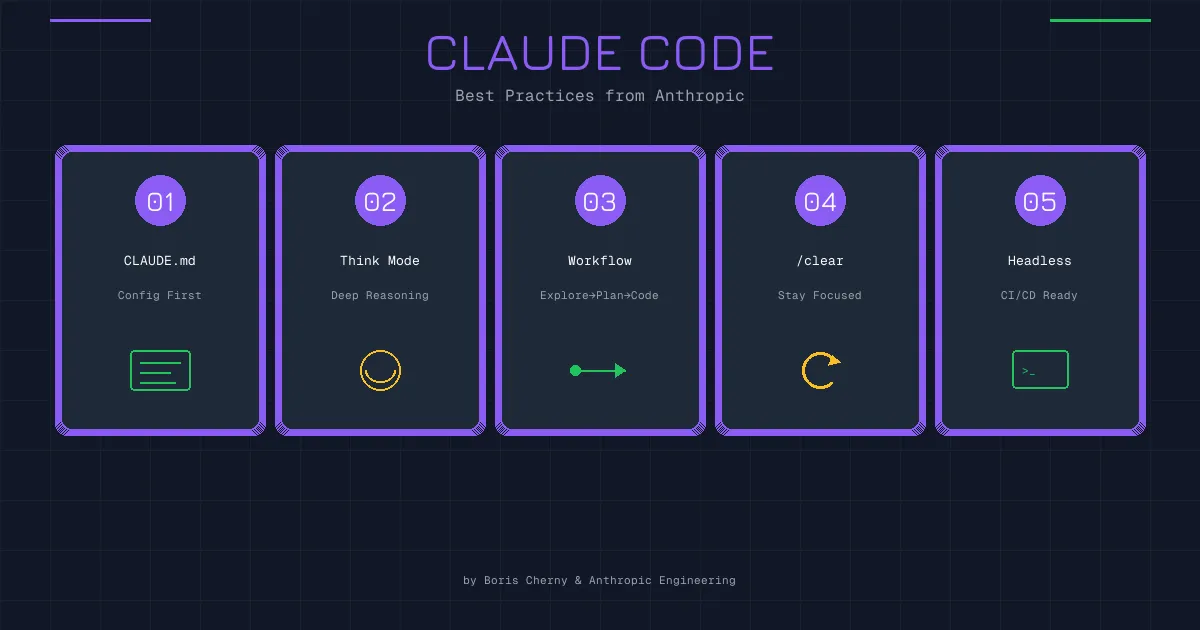
The founder of Claude Code recently shared a handful of practical tips on X. These aren’t polished documentation — they’re hard-won lessons from daily use. Every one of them resonated with my own experience, so let me break them down.
1. Run Multiple Agents in Parallel
The idea: open multiple terminals, each running its own Claude Code instance, working on different tasks simultaneously.
It sounds obvious, but it requires a genuine shift in how you think about development. Most of us are trained to work sequentially — solve one problem, then move to the next. With AI agents, you can run several tasks at once:
- One terminal refactors a module
- Another writes tests
- A third researches documentation or generates boilerplate
You don’t need to watch each window line by line. Assign the tasks, let them run, and check in at key decision points. Think of yourself as a commander, not a soldier — you’re coordinating multiple units, not doing the typing yourself.
It takes some getting used to. The urge to babysit one agent before starting another is real. But once you adapt, the throughput gain is obvious.
In practice, use Git Worktree to give each Claude instance its own working directory:
git worktree add ../feature-a feature-a
git worktree add ../feature-b feature-b
This prevents file conflicts between instances entirely.
2. Use the Smartest Model Available
The founder put it this way: the bottleneck in AI coding is no longer the compute tax (token generation speed) — it’s the correction tax (the time you spend fixing the model’s mistakes).
This is spot on.
Many developers instinctively try to save money by using cheaper or faster models. But when you do the math, it often costs more in the long run. A budget model produces code that needs more review, more debugging, and more back-and-forth. You save a few cents on tokens but burn an hour of your time.
A smarter model like Opus may cost more per token and respond more slowly, but it gets things right on the first try far more often. One review pass and you’re done.
The concept is simple: when the model makes mistakes, you pay the price. The weaker the model, the higher your tax.
My approach:
- Coding, refactoring, and reasoning-heavy tasks → Sonnet at minimum, Opus for complex work
- Simple agentic tasks and batch processing → lighter models are fine
The key is matching the model to the task. Code quality directly affects long-term maintenance costs — this is not the place to cut corners.
3. Log Mistakes in CLAUDE.md
CLAUDE.md is Claude Code’s “memory file.” Place it in your project root, and Claude reads it every time it starts.
Many people know about this feature but use it wrong — either leaving it empty or filling it with auto-generated content.
The founder’s advice: curate it manually, keep it small, and focus on recording past mistakes.
When Claude makes a project-specific error, write it down. Next time, it won’t repeat it.
For example:
## Project Notes

- This project uses ESM modules — never use require()
- Test files go in tests/, not src/
- Always check user status before calling the payment API (otherwise 500)
These are concrete, project-specific pitfalls — not generic coding standards, but “the traps in this codebase.”
The critical point is manual curation. Don’t let AI summarize or generate this file — it will grow bloated and vague over time. Write a few precise entries yourself.
Keeping it small has another benefit: it doesn’t eat your context window. A bloated CLAUDE.md consumes a large chunk of tokens on every startup, which defeats the purpose.
4. Automate Repetitive Work with Slash Commands and SubAgents
Claude Code supports custom slash commands that let you package common workflows into a single trigger.
For example, every code submission might require:
- Running lint
- Running tests
- Generating a commit message
- Creating a PR
Doing this manually every time is tedious. Instead, create a /push-pr command to handle it all at once.
Place command files in the .claude/commands/ directory. The format is simple:
# push-pr.md

Execute the following steps:
1. Run npm run lint — fix any errors first
2. Run npm run test — ensure all tests pass
3. Generate a commit message based on changes and commit
4. Create a Pull Request with a clear title and description
Now just type /push-pr and Claude follows the entire workflow.
SubAgents take this further. You can have the main agent spawn a “worker” to handle a subtask independently, then report back with the results. This is ideal for tasks that need their own context — a dedicated testing agent, a code review agent, and so on.
The core principle: automate anything repetitive and procedural so you only focus on decisions that require judgment.
5. Enable Verification Loops
This might be the most impactful tip of all.
A “verification loop” means Claude checks its own work after writing code, rather than just handing it off to you.
How does it verify?
- Run tests: Execute the test suite immediately after making changes
- Browser check: Open the browser to inspect frontend changes visually
- Type check: Run the TypeScript compiler to catch type errors
- Lint check: Run eslint or prettier to catch formatting issues
Without verification loops, Claude writes code and considers the job done. You then have to run tests yourself, check the UI, find the bugs, and feed them back.
With verification loops, Claude checks its own output first. If tests fail, it tries to fix them. If the browser throws errors, it investigates.
The founder estimates this produces a 2-3x quality improvement. My experience aligns with that.
To enable this, specify verification steps in your CLAUDE.md:
## Workflow

- After every code change, run npm run test to confirm tests pass
- Frontend changes must be verified in the browser
- Run npm run lint before committing to ensure code standards
You can also configure MCP servers to give Claude browser access (via Playwright MCP) and direct test result visibility.
Key Takeaways
All five practices boil down to one theme: efficiency.
- Run agents in parallel to eliminate idle time
- Use the best model to reduce rework
- Log mistakes to prevent repeating them
- Automate workflows to cut repetitive labor
- Enable verification loops to get it right the first time
Claude Code is more capable than most people realize. But it’s still a tool — how well it works depends entirely on how you wield it.
Instead of complaining that AI isn’t smart enough, consider whether your workflow has room for improvement.
Comments
Join the discussion — requires a GitHub account